Skip to main contentEngineering Courses, Mentoring & Jobs | EveryEng
SolidWorks Simulation For Packaging Industry banner

SolidWorks Simulation For Packaging Industry

12 enrolled

SolidWorks Simulation For Packaging Industry banner
Self-paced Beginner

SolidWorks Simulation For Packaging Industry

4(1419)
12 enrolled
1598 views
FREE
38 min
Anytime
English
Team EveryEng
Team EveryEngMechanical Engineering
  • Lifetime access
  • Certificate of completion
  • Foundational Learning
  • Access to Study Materials
Volume pricing for groups of 5+

Why enroll

Upon completion, participants will be proficient in utilizing SolidWorks Simulation to perform comprehensive structural analysis of packaging designs, interpret simulation results, and apply findings to optimize packaging solutions for improved durability, stability, and performance.

Is this course for you?

You should take this if

  • You work in Aerospace or Automotive
  • You're a Mechanical professional
  • You prefer self-paced learning you can revisit

You should skip if

  • You need a different specialisation outside Mechanical
  • You need live interaction with an instructor

Course details

The SolidWorks Simulation for Packaging Industry course is designed to equip participants with the skills to analyze, optimize, and validate packaging designs using SolidWorks Simulation tools. The course covers fundamental principles of structural analysis, including stress, strain, deformation, and factor of safety, specifically applied to packaging materials and components. Participants will learn how to simulate various loading conditions, such as compression, drop, vibration, and stacking loads, to ensure the durability and reliability of packaging designs. The program emphasizes real-world applications, helping students understand material behavior, packaging performance, and failure mechanisms under different conditions. Through hands-on exercises, learners will gain proficiency in setting up finite element models, defining boundary conditions, and interpreting simulation results. The course also explores optimization techniques to reduce material usage while maintaining structural integrity and cost efficiency. Students will develop the ability to predict packaging performance before physical prototyping, saving time and resources. Emphasis is placed on safety, sustainability, and regulatory compliance within the packaging industry. By the end of the course, participants will be capable of using simulation insights to enhance packaging design, improve product protection, and make informed engineering decisions. The curriculum bridges theoretical knowledge and practical skills, preparing participants for challenges in modern packaging engineering. Case studies from the food, beverage, consumer goods, and e-commerce sectors demonstrate industry-relevant scenarios and problem-solving approaches.

Course suitable for

Key topics covered

  • Introduction and Agenda

  • Big Challenge in Packaging Industry

  • 3D Ecosystem Streamlines Development and Manufacturing

  • Solidworks Motion Tools

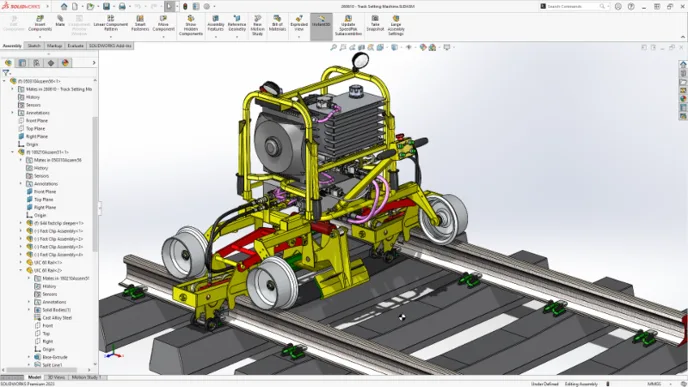
  • Validate Machine Using Improved FEA Technology

Course content

The course is readily available, allowing learners to start and complete it at their own pace.

5 lectures38 min

Opportunities that await you!

Skills & tools you'll gain

SolidWorks

Career opportunities

FREE

Access anytime

Questions and Answers

Q: You're seeing higher than expected stress in a corrugated panel when running a linear static study and you google "SolidWorks Simulation corrugated board orthotropic vs isotropic model packaging". One variable changed: the material model was switched from orthotropic to isotropic. What happens downstream and what’s the correct response?

A: A: Averaging MD/CD moduli stiffens the weak direction. That’s why deflection falls. Fix the material, not the solver. B: Sounds safe, but it’s false comfort — the response isn’t uniformly conservative. C: Buckling physics don’t get cleaner by lying about stiffness. D: Tolerances don’t recover lost anisotropy.